
Last Updated: 26 October 2026
Quick Summary
To monitor construction site progress effectively, combine multiple methods including daily site inspections, photographic documentation, digital tracking tools, and remote monitoring techniques. This systematic approach provides real-time visibility, catches issues early, and keeps all stakeholders informed throughout the project.
- Daily walkthroughs by your project manager remain the foundation of any monitoring system
- Photographs taken from fixed positions weekly create a visual record that shows exactly what is there
- QR code and smartphone tracking systems provide real-time data entry with automatic timestamping from the field
- Digital tools centralise all progress data including photos, reports, timelines and budget tracking in one platform
- Drone surveys provide overhead perspective to see entire site layout and spatial relationships simultaneously
Table of Contents
- Why Monitoring Construction Site Progress Matters
- Essential Methods for Monitoring Construction Site Progress
- Construction Progress Tracking Software and Digital Tools
- Creating a Construction Progress Report Template for Stakeholders
- Remote Construction Progress Monitoring Techniques
- Using Drone Surveys for Construction Progress Tracking
- Best Practices and Common Pitfalls to Avoid
- Setting Up Your First Progress Monitoring System
- Frequently Asked Questions
Why Monitoring Construction Site Progress Matters
Monitoring construction site progress effectively keeps projects on track, prevents costly delays, and maintains clear communication between all parties involved. When you can’t see what’s happening on site, problems compound quickly. A delay spotted early costs far less than one discovered weeks later.
Most construction teams rely on occasional site visits or vague reports from contractors. This approach leaves blind spots. You miss early warning signs. Budget overruns creep in unnoticed. Stakeholders lose confidence when they can’t see real progress.
The solution is systematic monitoring. Real-time visibility transforms how projects run. Teams catch issues before they become emergencies. Clients stay informed and satisfied. Contractors maintain accountability.
Essential Methods for Monitoring Construction Site Progress
Several proven methods work together to create a complete picture of your construction site progress. Each has strengths. The best approach combines multiple methods.
Daily site inspections and walkthroughs
Daily walkthroughs remain the foundation of any monitoring system. Your project manager or supervisor walks the site each day, observes conditions, and documents findings.
What makes this effective:
- You spot problems immediately
- You can ask contractors questions on the spot
- You build relationships with the team
- You catch safety issues before they escalate
The challenge is consistency. Weather, scheduling conflicts, and distance can disrupt daily visits. A walkthrough takes time. For multiple sites, it becomes impractical.
This is where daily inspections work best as part of a larger system, not the only method.
Photographic documentation and comparison
Photographs create a visual record. Take photos from the same angles at regular intervals. Compare them side by side to see progress clearly.
Simple steps to start:
- Choose 4-6 fixed camera positions around the site
- Photograph from each position every week (or more often)
- Store photos in a dated folder
- Compare week-to-week to spot changes
Photographs are powerful because they don’t lie. They show exactly what’s there. Stakeholders understand photos instantly. No interpretation needed.
QR code and smartphone tracking systems
QR codes placed at key locations on site can link to progress updates. Workers or supervisors scan the code with a smartphone and log information: task completed, materials delivered, issues found.
Research published in Automation in Construction has validated QR code tracking against eight case studies, confirming that on-site progress captured via smartphone and QR codes provides reliable progress data when implemented consistently.
Benefits of this approach:
- Real-time data entry from the field
- Automatic timestamping
- Mobile-friendly and simple to use
- Creates a digital audit trail
The downside is reliance on user compliance. If workers don’t scan consistently, data gaps emerge. The system only tracks what people remember to log.
Several proven methods work together to create a complete picture of your construction site progress.
| Method | Best for | Key strength |
|---|---|---|
| Daily site inspections | Foundation of any system | Spot problems immediately |
| Photographic documentation | Visual record over time | Shows exactly what is there |
| QR code and smartphone tracking | Real-time field data | Automatic timestamping and audit trail |
| Digital tools and software | Centralising all progress data | Integrates photos, reports, timelines |
| Live camera feeds | Remote monitoring | Check conditions any time |
| Time-lapse photography | Revealing daily patterns | See entire day’s progress in seconds |
| Drone surveys | Overhead perspective | See entire site layout simultaneously |
Construction Progress Tracking Software and Digital Tools
Digital tools centralise all your progress data. They integrate photos, reports, timelines, and measurements into one platform. Teams access information from anywhere.
Common features in construction progress tracking software include:
- Photo galleries with date stamps and location tags
- Project timelines with milestone tracking
- Issue logs and defect registers
- Budget and cost tracking
- Team communication and notifications
- Integration with design drawings for comparison
The software you choose depends on your project size and team structure. Small teams might use simple cloud storage with shared folders. Larger projects benefit from purpose-built construction management platforms.
When evaluating options, consider ease of use. If the system is too complex, teams won’t use it. Integration matters too. Your software should connect with existing tools your team already uses.
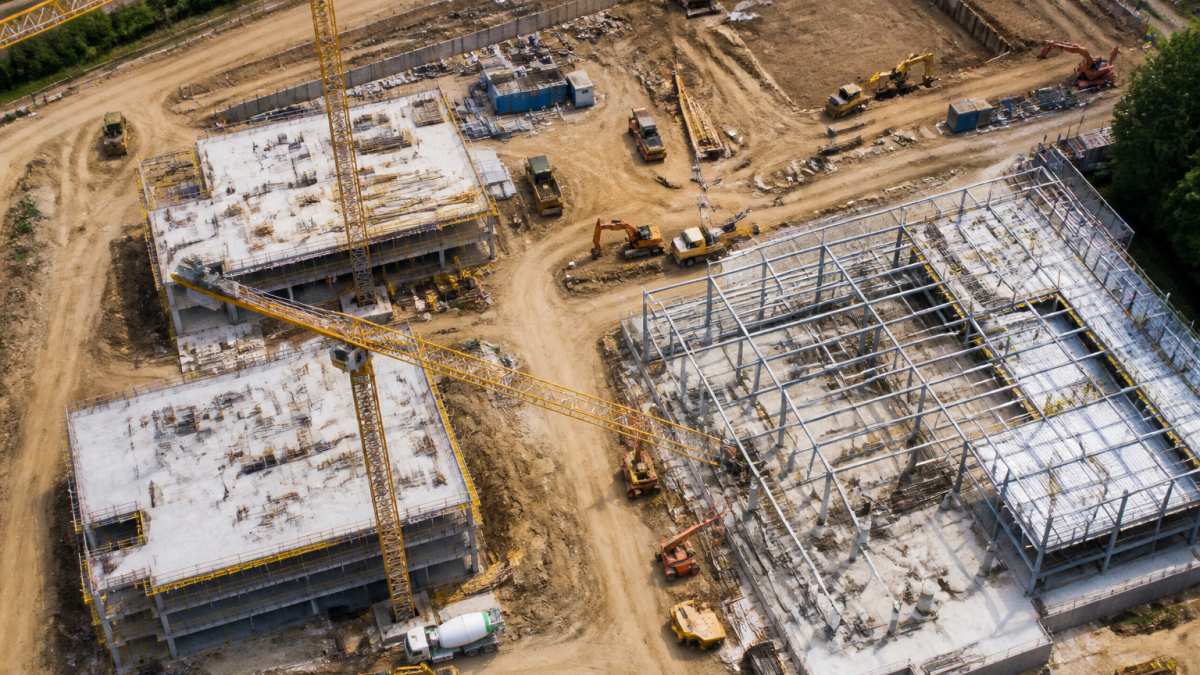
Integrating these digital platforms allows project managers to maintain a comprehensive oversight of site developments while simultaneously verifying building material quality to ensure that every structural component meets the necessary technical specifications.
Creating a Construction Progress Report Template for Stakeholders
Stakeholders need clear, regular updates. A progress report template ensures consistency and saves time.
Your template should include:
- Project name and date
- Current phase and percentage complete
- Tasks completed this period
- Tasks scheduled for next period
- Budget status (spent vs. budgeted)
- Issues or risks identified
- Photos or visual evidence
- Next steps and timeline
Keep reports brief. One page is ideal. Stakeholders want the essentials, not lengthy detail. Use clear headings and bullet points for scanning.
Frequency matters. Weekly reports work for active construction phases. Monthly reports suit slower phases. Agree on the schedule upfront with your client.
A good template becomes a communication tool. It manages expectations. It creates accountability. It provides documentation if disputes arise later.
Remote Construction Progress Monitoring Techniques
Distance no longer prevents effective monitoring. Several remote techniques let you track progress without being on site constantly.
Live camera feeds: Install fixed cameras at key locations. Stream live video to your office or mobile device. You can check conditions any time.
Time-lapse photography: Cameras capture images at intervals (every 15 minutes, for example). Play the images as a video to see the entire day’s progress in seconds. Time-lapse reveals patterns invisible in static photos.
Video conferencing site tours: Conduct virtual walkthroughs via video call. A person on site holds a camera and walks through, showing progress to your team remotely.
Mobile reporting apps: Workers use smartphone apps to log progress, upload photos, and flag issues in real time. Managers review updates immediately from anywhere.
Remote monitoring works best when combined with occasional in-person visits. Discover how to improve site communication with drone data. You need boots on the ground periodically to validate what you’re seeing remotely and address complex issues face-to-face.
Using Drone Surveys for Construction Progress Tracking
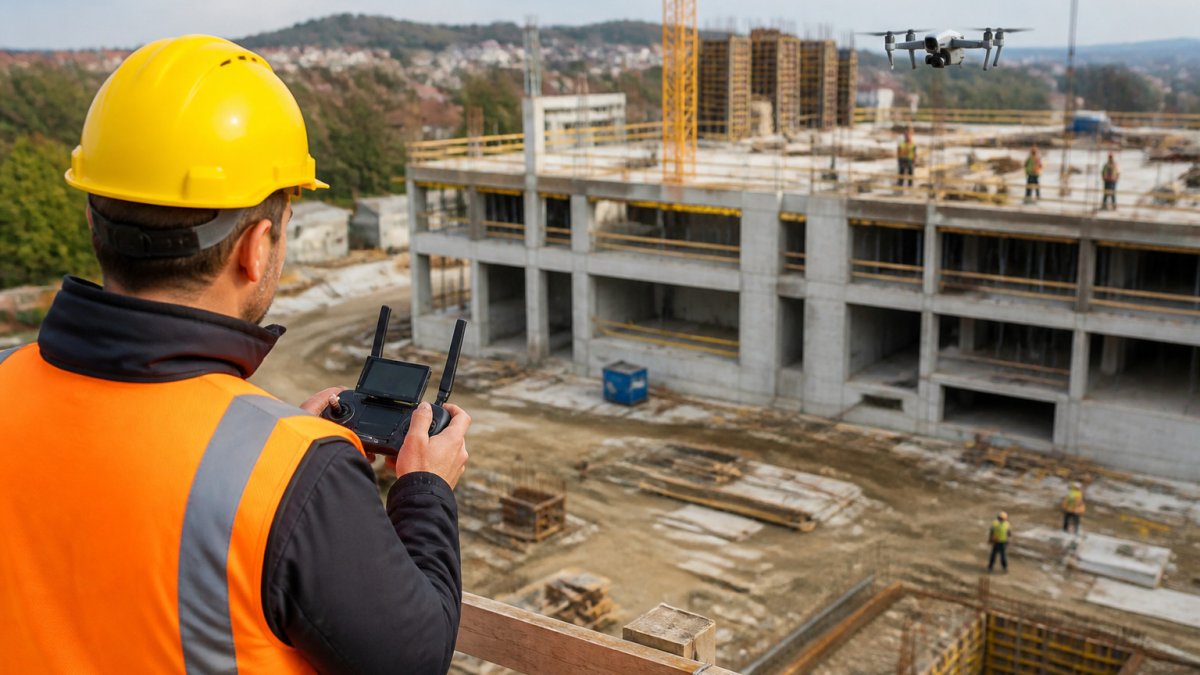
Drone surveys provide an overhead perspective impossible from ground level. Learn how to implement drone progress monitoring for construction tracking. You see the entire site layout, spatial relationships, and progress across multiple areas simultaneously.
Research published in Automation in Construction validates drone-based progress tracking through multiple case studies. The study confirms that real-time tracking and analysis using drone imagery provides reliable data for construction project monitoring.
Best Practices and Common Pitfalls to Avoid
Several principles separate effective monitoring systems from ones that fail.
Start simple. Don’t over-engineer your system. Daily photos and weekly reports work for most projects. Add complexity only if you need it.
Be consistent. Irregular monitoring creates gaps. Set a schedule and stick to it. Consistency builds reliable data.
Involve the team. Contractors and workers should understand why you’re monitoring. Explain that the system protects everyone. Accountability cuts both ways.
Document everything. Photos, reports, emails, and meeting notes create a record. If disputes arise later, documentation protects you.
Communicate findings. Don’t hoard progress data. Share updates with stakeholders regularly. Transparency builds trust.
Common mistakes to avoid:
Watch out: Monitoring without acting on findings wastes time. If you identify delays or defects, address them immediately. Monitoring only matters if it drives decisions.
Watch out: Relying on a single method creates blind spots. Use multiple approaches. Photos miss what drones see. Drones miss ground-level detail. Combine methods.
Watch out: Storing data in scattered locations makes it useless. Use one central system. Everyone should know where to find information.
Setting Up Your First Progress Monitoring System
Start with these steps to establish monitoring on your next project.
Step 1: Choose your methods. Decide which combination works for your project. For most construction work, combine daily walkthroughs and weekly photos. Adjust based on project size and complexity.
Step 2: Establish a schedule. Set specific days and times for monitoring activities. Consistency matters more than frequency. Weekly monitoring beats daily monitoring that happens randomly.
Step 3: Select tools and platforms. Choose software or systems your team will actually use. Simplicity beats features. If the system is difficult, teams will abandon it.
Step 4: Define responsibilities. Assign specific people to specific monitoring tasks. Clarity prevents tasks from slipping through the cracks.
Step 5: Create your reporting template. Design a simple one-page progress report. Include the elements your stakeholders care about most.
Step 6: Train your team. Show everyone how the system works. Explain why each step matters. Answer questions upfront.
Step 7: Review and adjust. After two weeks, assess what’s working. Make adjustments. After a month, evaluate again. Systems improve through iteration.
The goal isn’t perfection. The goal is visibility. When you can monitor construction site progress effectively, you can manage it with confidence.
Effective construction site progress monitoring transforms how projects run. The systems that work combine multiple methods: regular site visits, photographic documentation, digital tools, and periodic drone surveys. Start with a simple system today, and refine it as your team learns what works best for your projects.
Frequently Asked Questions
How often should you monitor construction site progress?
The frequency depends on project complexity, budget, and contractual requirements. Real-time tracking systems allow continuous monitoring without requiring staff on-site constantly.
What’s the best way to use drone surveys for construction progress?
Aerial footage provides a site overview. Combined with QR code systems for ground-level detail, it can be reviewed remotely.
Can you monitor construction progress remotely without visiting the site?
Remote construction progress monitoring can use live cameras, drone footage, and digital reporting platforms to track work without daily site presence. However, remote monitoring can be combined with periodic on-site inspections to address issues directly.
What should a construction progress report template include?
A construction progress report template should cover: work completed against schedule, percentage complete, materials and labour on-site, safety incidents or concerns, upcoming milestones, budget status, and any delays or risks. Include dated photographs, QR code scans, and GPS coordinates. Digital templates reduce paperwork.

 2 Norton Drive, Wythall, Birmingham, B47 6HH Company registration number: 11138586. VAT Number: 366 9068 55


