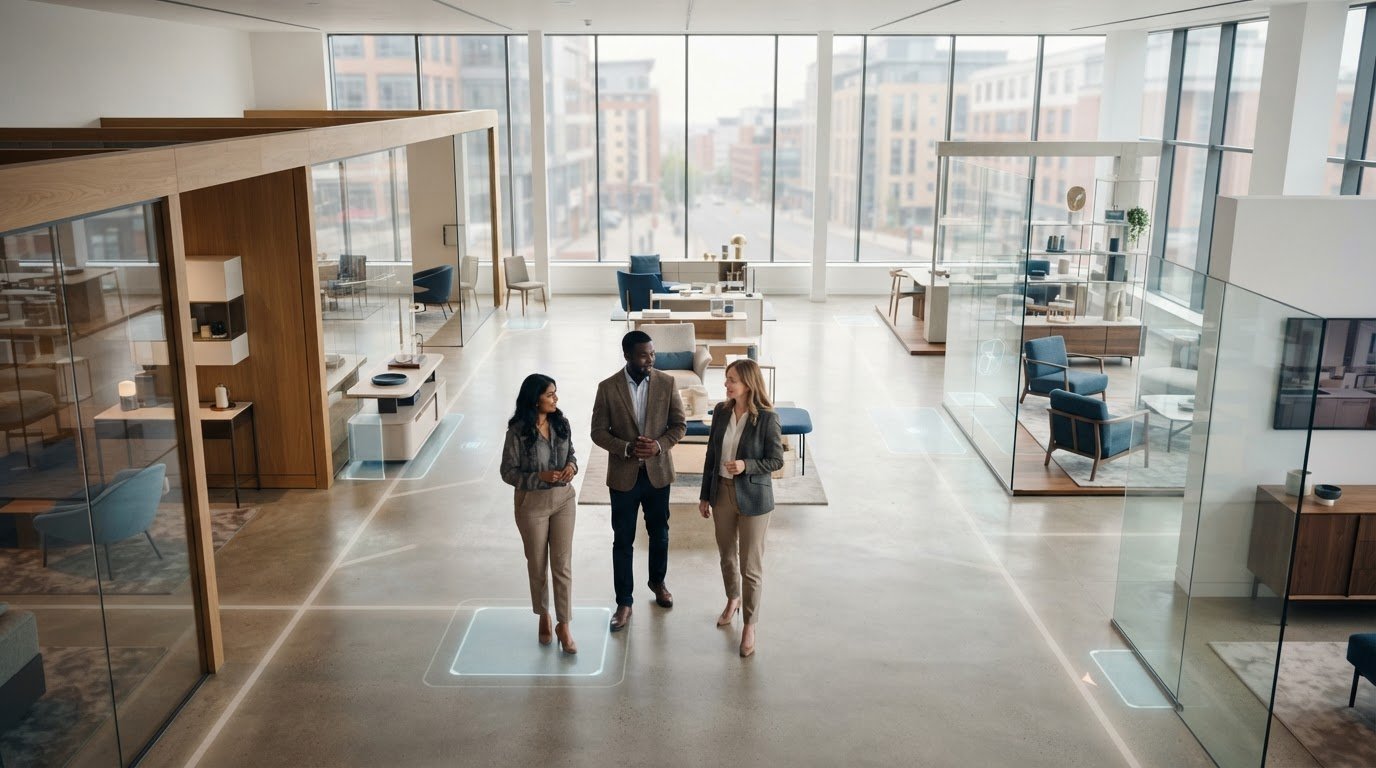
A showroom tour should do more than replicate a room; it should help customers decide what to explore next. For people who can’t visit in person, a well-planned virtual tour for showrooms can offer a clearer sense of the space, products and experience before they make contact or arrange a visit.
To make the tour useful, start with the questions a viewer needs answered. They may want to understand the showroom layout, find a particular display or see how the space is presented. The value depends on how well the selected views serve those needs, not simply on attractive footage.
This guide explains how a showroom virtual tour can support your customer journey, what to plan around the space and products, and what to expect from professional production. You’ll also learn when drone-captured visuals can add aerial context, and how a structured process from consultation through to handover helps bring the experience together.
Key Takeaways
- Use a virtual tour for showrooms to help customers explore the space remotely before deciding whether to visit.
- Plan views that show the showroom’s layout and atmosphere, while keeping close-up product inspection in perspective.
- Consider what remote exploration can offer alongside the personal advice and product assessment of an in-person visit.
- Set a clear goal, identify your audience and choose the products, areas and brand details to feature.
- Impact Aerial’s virtual tour production follows a defined process, with CAA-GVC Certified pilots and full UK CAA Operational Authorisation.
Why a virtual tour for showrooms can extend the customer visit
A customer may be interested in a showroom but unsure whether the journey is worthwhile. They might want to see the layout, understand the range on display or get a feel for the setting before travelling. A well-planned virtual tour gives them a visual introduction online, helping them arrive with a clearer idea of what they want to explore in person.
A showroom virtual tour is an online visual way to explore a physical showroom. It presents selected views of the space so potential customers can familiarise themselves with it remotely. It can sit alongside other ways of experiencing the showroom, but it doesn’t replace close inspection, in-person advice or the value of speaking with staff.
Retailers can use a tour to introduce a store and its product areas. Manufacturers may use one to present a showroom or display environment to trade buyers. Designers and creative studios like Mark Finzel Art and Design can give clients a visual reference for materials, finishes and room settings, while sales teams can refer to the same views when discussing the space. The right emphasis depends on who needs the information and what they need to understand.
What customers can gain from exploring a showroom online
Remote viewers can get a sense of how areas relate to one another and which parts of the space they may want to see during a visit. This can help someone comparing options from home or researching before they are ready to travel. A virtual tour can take different forms, so the presentation should set clear expectations about what viewers can see and how they can explore it.
For sales teams, the tour can also provide a shared visual reference during a call or follow-up. A customer and staff member can discuss the same displayed area, rather than relying only on verbal descriptions. That can make questions more specific, while personal guidance remains important when a buyer needs tailored recommendations or detailed product information.
Which showroom goals can a virtual tour support?
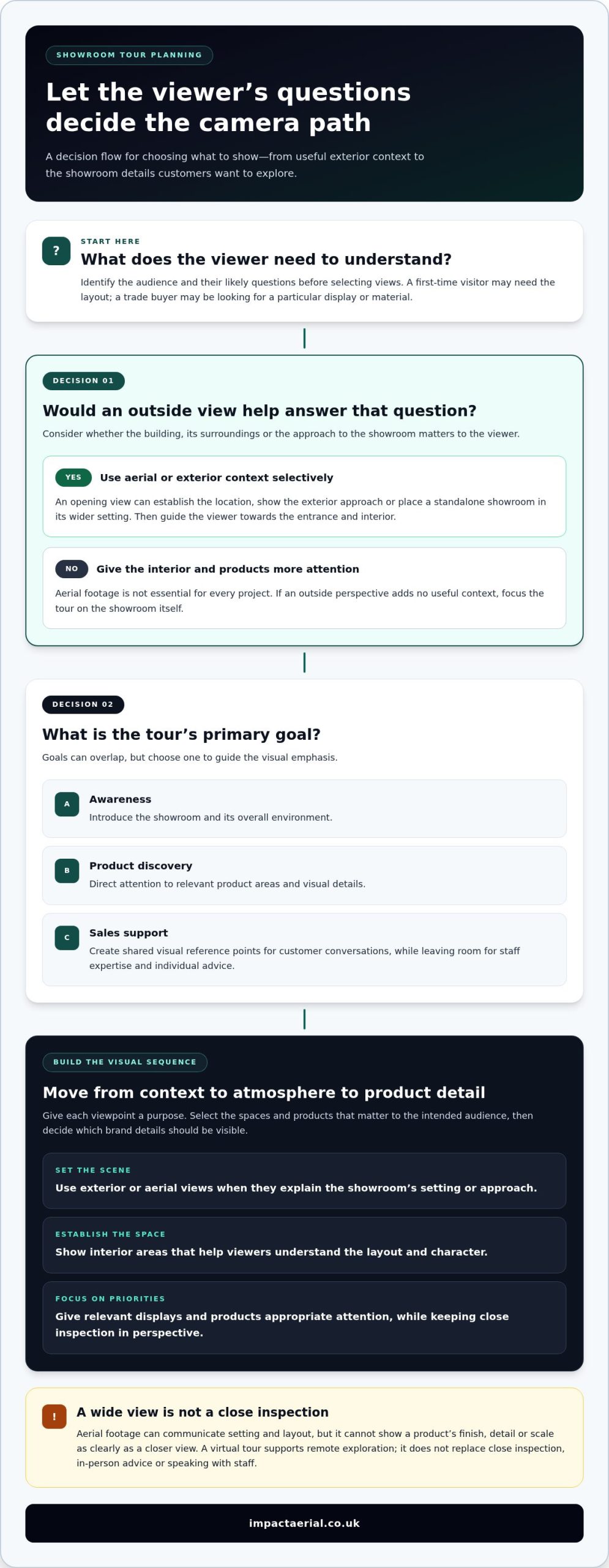
Decide the primary goal before choosing what to film. A tour designed to build awareness may lead with the showroom’s overall character and setting. A product-discovery tour may focus on display zones and how products are arranged. For sales support, clear visual references can help staff explain the space during customer conversations. These goals can overlap, but one should guide the visual emphasis.
Start by identifying the intended viewer and their likely questions. A first-time visitor may need a broad sense of the layout, while a trade buyer could be more interested in a particular display or material. Select the areas and details that help answer those questions. This keeps the tour purposeful instead of treating every corner as equally important.
- Awareness: Give viewers a clear introduction to the showroom and its overall environment.
- Product discovery: Direct attention to relevant product areas and visual details.
- Sales support: Create useful reference points for conversations, while leaving room for staff expertise and individual advice.
Setting the goal and audience first makes a virtual tour for showrooms a considered part of the customer journey, rather than simply a digital copy of the room.
What a showroom virtual tour can show, from aerial context to visual detail
Aerial footage can establish where a showroom sits before the viewer sees what is inside. It may show the building in relation to its surroundings, give a sense of the exterior approach or place a standalone showroom within a wider commercial setting. That context can help viewers orient themselves when the location is part of the showroom’s story.
Aerial footage isn’t essential for every project. Its value depends on the building, its surroundings and the purpose of the tour. Plan aerial views around a clear question: what will the outside perspective help the viewer understand? If it adds no useful context, give more attention to the interior and products.
When aerial visuals add useful showroom context
An aerial opening can introduce the showroom’s location and exterior, then guide the viewer towards the entrance and interior. For example, a manufacturer presenting a purpose-built display space might use an outside view to establish the building before showing its product areas. A retailer may show the surrounding setting if it helps customers recognise the venue. These are creative choices, not requirements for every showroom.
Drone-captured footage supports the story; it doesn’t replace close-up product inspection. A wide view can communicate setting and layout, but it won’t show a product’s finish, detail or scale as clearly as a closer view. A balanced virtual tour for showrooms uses aerial footage selectively, then brings viewers closer to the spaces and products relevant to them.
How to balance space, products and brand story
Plan a visual sequence that moves from context to atmosphere and then to product detail. This gives each change of viewpoint a purpose, rather than presenting disconnected shots. Before production, list the areas and products that matter most to the intended audience, then decide which brand details should be visible in the environment.
- Set the scene: Use exterior or aerial views where they explain the showroom’s setting or approach.
- Establish the space: Show the interior areas that help viewers understand the showroom’s layout and character.
- Focus on priorities: Give relevant displays and products appropriate visual attention, while recognising that footage is not a substitute for close inspection.
Impact Aerial provides commercial drone photography and videography using drones equipped with 4K HDR video capability, including the DJI Matrice 210 Enterprise platform. The recorded image is one part of the finished experience; the selection and presentation of footage also shape how clearly the tour communicates the showroom.
Impact Aerial creates virtual tours using drone-captured content, with the visual approach shaped around the project. If aerial context has a clear role in your showroom story, you can explore Impact Aerial’s virtual tour creation. For more on aerial imagery, read this drone photography guide.
Virtual showroom tour versus an in-person visit: what each does well
A virtual tour for showrooms gives customers a way to explore visually from a distance, while an in-person visit offers direct contact with products and staff. Neither experience needs to replace the other. A tour can help someone prepare for a visit or start researching when travelling isn’t practical; a physical visit can answer questions that images alone can’t settle.
| Customer need | Virtual showroom tour | In-person visit |
|---|---|---|
| Access | Offers remote visual exploration, which may suit customers who can’t yet travel to the showroom. | Requires the customer to attend in person, but allows them to experience the location directly. |
| Product inspection | Shows selected views of displays and products, but what viewers can assess depends on the content presented. | Allows customers to examine materials, finishes and product details directly. |
| Personal advice | Can provide a shared visual reference for a conversation with the sales team. | Enables customers to ask questions and receive guidance face to face. |
| Convenience | Lets customers explore remotely at a time that suits their research. | Involves arranging and making a visit, but brings the showroom experience together in one place. |
Where online exploration is useful
Online exploration can help during early research, especially when a customer is comparing showrooms or isn’t ready to make the journey. A sales colleague might refer to a particular viewpoint during a call, giving both parties a visual reference while discussing the space. This can make the conversation more specific, but it doesn’t establish that the tour will generate an enquiry or sale.
Assess its usefulness against the purpose you set for it. Note whether customers mention the tour in enquiries or sales colleagues find it relevant in discussions. You can also review engagement information available through your website analytics. Treat these as indicators to interpret alongside other marketing activity, not proof that the tour alone caused a change in sales.
When an in-person visit remains important
A visit still matters when customers need to handle products, judge materials and finishes directly, ask detailed questions or benefit from personal service. A screen may convey the appearance of a surface, but it can’t provide the same tactile assessment. Staff can respond to individual preferences and explain details that a recorded visual experience may not address.
Use the tour as a companion to that expertise. It can introduce the space and support a conversation; staff remain central to tailored advice and the visit itself. For broader context on professional drone-based imagery, explore this professional drone services guide.
How to plan a showroom virtual tour around customer needs
A useful virtual tour for showrooms starts with the customer, not the camera. Decide what viewers need to understand, then plan the spaces, products and visual context that will answer their questions. This gives production a clear purpose and helps distinguish essential content from optional shots.
Set the brief and prioritise the showroom story
Identify the intended audience first. A retail customer, trade buyer and design client may need different information. Consider what each viewer might ask before visiting, such as where key displays are located or which products deserve closer attention. Agree the priority areas and brand details before filming begins, so the visual emphasis supports a clear story rather than attempting to show everything equally.
Use this checklist to shape the brief:
- Set the goal: Decide whether the tour is primarily for awareness, product discovery or sales support.
- Identify viewers: Define who will use it and what they need to learn.
- Select priorities: Choose the essential spaces, products and brand details to feature.
- Prepare the space: Make the selected areas ready for filming and agree which supporting visuals are optional.
For example, if the audience is comparing a particular product range, prioritise the relevant display and surrounding space. An exterior view or additional area may support the narrative, but it shouldn’t distract from the main purpose.
Prepare for production and review
Impact Aerial’s process begins with Consultation, where the project’s aims and priorities can be discussed. The Site Survey informs the production plan. A Safety Assessment takes place before Flight, followed by Post-Production, Presentation and Handover & Sign-Off. This sequence connects planning, capture and review in a defined workflow.
Before filming, align the agreed priorities with the space itself. Make sure the team knows which areas and products are central to the brief, and identify any brand details that should be visible. The Safety Assessment is part of preparing for the flight. Presentation and Handover & Sign-Off complete the process, giving the project a review and delivery stage.
Keep the review focused by comparing the presentation with the original audience, goal and priorities. If the tour is intended to support product discovery, check that the selected product areas are prominent and understandable in context. This is more useful than asking whether every corner has been shown.
Impact Aerial creates virtual tours using drone-captured content. To discuss a showroom project and shape its visual priorities, plan a virtual tour with Impact Aerial.
How Impact Aerial creates virtual tours for showroom projects
Impact Aerial’s Drone Services for Virtual Tours bring drone-captured content together with commercial photography and videography in high-resolution 4K HDR. For a showroom project, the visual plan is shaped around the audience and the parts of the space that matter to them, rather than adding aerial footage without a clear purpose.
Impact Aerial’s pilots are CAA-GVC Certified (as of early 2026), and the company holds full UK CAA Operational Authorisation. It also carries £5 million commercial liability insurance. Impact Aerial is based in Birmingham and serves Birmingham and the West Midlands.
A managed production process from consultation to handover
Each project follows a defined seven-step workflow. The sequence takes the work from initial discussion through flight, post-production and final sign-off:
- Consultation
- Site Survey
- Safety Assessment
- Flight
- Post-Production
- Presentation
- Handover & Sign-Off
Consultation and Site Survey help inform the project plan, including the intended audience and visual priorities. A Safety Assessment comes before Flight. The captured material then moves into Post-Production, where it is shaped into a presentation-ready deliverable. Presentation provides a stage to review the work, with Handover & Sign-Off completing the workflow.
For photography and video post-production, Impact Aerial uses Adobe Lightroom, Adobe Premiere Pro and DaVinci Resolve. In commercial media production, specialist authoring and finishing studios like 3DUX Media Hub similarly demonstrate how refined video post-production elevates digital assets for client presentations. Final work is delivered via a shared Google Private Cloud Drive or WeTransfer Pro, giving the project a defined handover route.
Discuss the showroom project with Impact Aerial
A clear brief connects production to the showroom’s purpose. Be ready to discuss who the tour is for, which areas or products deserve visual emphasis, and whether aerial context has a useful role in introducing the setting. These priorities can guide the project scope and keep the finished presentation relevant to its intended viewers.
Readers looking for related context on virtual tours in another property setting can explore 3D virtual tours for property. The same planning principle applies: visual content should reflect what the audience needs to understand, while the format and emphasis suit the project.
If you’re planning a virtual tour for showrooms in Birmingham or the West Midlands, request a free, no-obligation quote from Impact Aerial to discuss your project.
Give your showroom story a clear next step
Before commissioning a virtual tour for showrooms, decide what you want customers to understand first. That decision can guide the brief, shape the visuals and give your team a practical way to assess whether the finished experience serves its purpose. Keep the focus on the people who will use it: what they need to see, what questions they may have and what should prompt them to explore further.
From there, a conversation about your showroom can turn broad ideas into a considered project scope. Share the audience you want to reach and the spaces or products you’d like to bring forward. Impact Aerial can discuss the production approach and provide a free, no-obligation quote for your project.
Request a free, no-obligation quote for your showroom project and take the next step towards presenting your space with purpose.
Frequently Asked Questions
Can a virtual tour help customers explore a showroom before visiting?
Yes, a virtual tour for showrooms can help prospective customers get an initial sense of the space before travelling. For example, someone comparing kitchen displays could use the tour to note which areas they want to ask about during a later visit. Sales staff may also refer to the same views during a conversation. It supports early research, but doesn’t let customers examine materials or products in person.
What should a showroom virtual tour include?
Include the areas and details that answer likely customer questions, rather than giving every part of the showroom equal attention. A useful brief might identify priority displays, product categories, brand details and setting information that helps viewers understand the venue. Decide what must be visible for the tour to serve its purpose and what can remain secondary. Agreeing these priorities before production helps keep the content focused.
Can drone footage be used in a virtual tour for a showroom?
Yes. Impact Aerial provides Drone Services for Virtual Tours and captures footage using drones equipped with 4K HDR video capability. Aerial visuals can introduce the building’s exterior or its relationship to the surrounding setting when that context suits the project. They don’t replace close product views or an indoor walkthrough. The visual plan should make clear how any aerial footage contributes to the showroom story.
Does a virtual showroom tour replace an in-person visit?
No. A tour offers remote visual exploration, but it can’t provide the experience of handling a product, judging a finish directly or receiving tailored advice face to face. For instance, a customer considering materials may use the tour to identify options, then visit to compare them in person. Treat the online experience as a way to inform or prepare for a visit, not as a substitute for staff expertise.
How does Impact Aerial manage a virtual-tour project?
Impact Aerial follows this sequence: Consultation, Site Survey, Safety Assessment, Flight, Post-Production, Presentation, Handover & Sign-Off. It takes the project from initial discussion to final handover. Post-production shapes captured content into a presentation-ready deliverable, and the completed work is shared via a shared Google Private Cloud Drive or WeTransfer Pro. The visual plan is tailored to the project’s aims and priorities.
Are Impact Aerial’s drone pilots CAA-GVC Certified?
Yes. Impact Aerial’s pilots are CAA-GVC Certified (as of early 2026), and the company holds full UK CAA Operational Authorisation. It also carries £5 million commercial liability insurance. These credentials are relevant when commissioning drone-captured content, as a project involves planning flight operations as well as producing visual material.
How can I get a quote for a showroom virtual tour?
Request a free, no-obligation quote from Impact Aerial. To frame the project, describe the showroom, who you want the tour to reach and what viewers should understand from it. You can also note priority spaces, products and whether aerial context may be useful. This gives the consultation a practical starting point without needing to estimate costs or set expectations about delivery times.
 2 Norton Drive, Wythall, Birmingham, B47 6HH Company registration number: 11138586. VAT Number: 366 9068 55